A safety app should not make a difficult moment feel more public. The best discreet personal safety apps help you reach people you trust with as little friction as possible, while respecting a truth that matters: an app can support a safety plan, but it cannot guarantee an outcome or replace emergency services.
For many people, discretion is not a nice extra. It may mean being able to ask for help without drawing attention on a walk home, during an uncomfortable date, in a rideshare, or when something simply feels wrong. The right app is less about flashy features and more about whether it works quickly, clearly, and privately when your attention is elsewhere.
What makes a safety app truly discreet?
A discreet safety feature should be easy to trigger, difficult for someone else to notice, and understandable to the people receiving the alert. That sounds straightforward, yet many apps make users navigate several screens, write a message from scratch, or depend on settings they have never tested.
The best designs reduce those decisions before a stressful moment happens. You choose trusted contacts, write or review the alert message, and understand what location details may be shared. Then, if you need it, the action itself is simple.
Discretion can take different forms. Some tools use a low-profile button inside an app. Others offer a shortcut, voice command, or wearable integration. What feels safest depends on your situation. A voice activation may be useful when your hands are occupied, but it may not be appropriate if speaking could escalate risk. A visible button can be reassuring, while a hidden gesture may be easier to trigger accidentally.
There is no single best method for everyone. The point is to choose one you can use naturally under pressure.
How the best discreet personal safety apps compare
Rather than searching for an app that promises total protection, compare options by the job you need them to do. Most fall into a few overlapping categories: emergency-call tools, trusted-contact alert tools, check-in and location-sharing tools, and broader companion apps that include a safety feature alongside day-to-day support.
Emergency-call tools
Built-in phone emergency features can be the right first layer. They are often available without downloading anything and may place a call to emergency services or notify selected emergency contacts. Learn how your particular phone activates its emergency function before you need it. Activation methods, countdowns, and available options differ by device and settings.
Their strength is directness. Their trade-off is that calling emergency services is not always what someone wants in an uncertain or developing situation. You may first want a friend, roommate, partner, or family member to know where you are and check in.
Trusted-contact alert tools
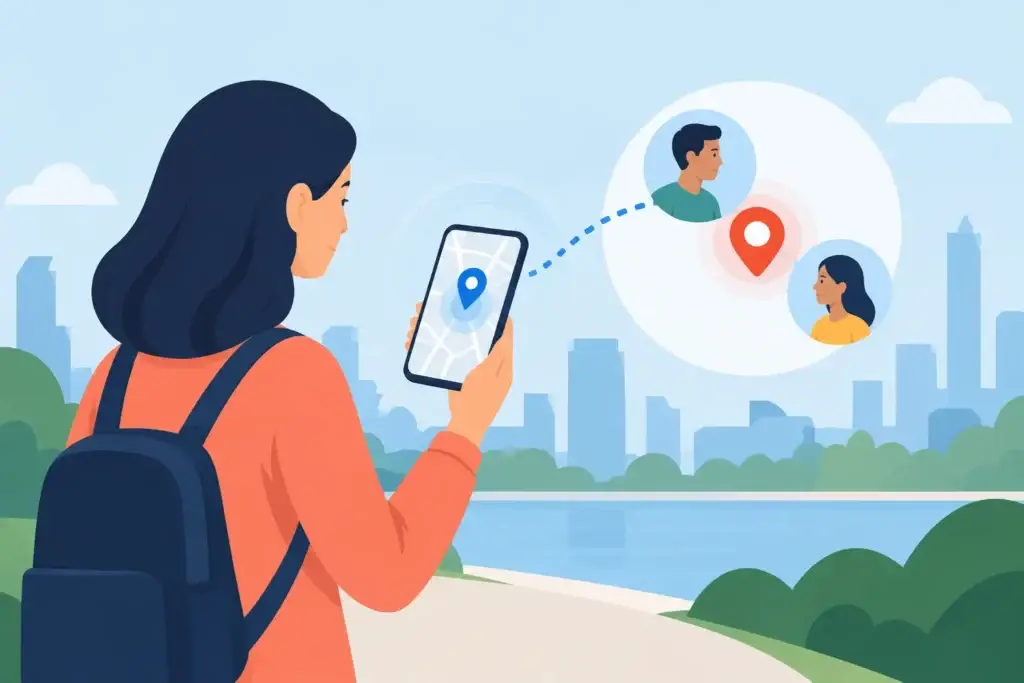
These tools are designed to send a preset message to a small circle of people, often with a live or current location. They can be especially useful when you want to quietly say, “Please call me,” “I need help,” or “Track my location and stay with me.”
Look closely at what recipients actually receive. An alert is only useful if the message is clear, the location opens easily on their phone, and they know what you want them to do. A vague notification can create confusion at the exact moment you need calm action.
Check-in and location-sharing tools
Check-in features are helpful for routine situations: arriving home after work, meeting someone new, taking a late walk, or traveling alone. Usually, you set a timer or destination. If you do not confirm that you are okay, selected contacts are notified.
These tools can create welcome reassurance, but they ask for a little planning. A missed check-in might mean your battery died, you lost service, or you simply forgot. Tell your contacts in advance how you want them to respond to a missed check-in rather than assuming they will know.
Companion apps with a silent alert option
Some people prefer not to add another single-purpose app to their phone. A private companion app can be part of a wider routine for reflection, reminders, organization, and personal support, with an alert option available when needed.
MyPal’s Confidant tier, for example, includes Silent Alert, which can send a location message to trusted contacts. It is intended as one piece of a personal safety plan, not a substitute for 911 or local emergency services. Like every location-based feature, it depends on factors such as device permissions, battery, cellular or internet service, and recipient availability.
Privacy is not separate from safety
A personal safety app may handle some of the most sensitive information you have: where you are, who you trust, when you travel, and sometimes notes about what you fear. That information deserves more than a vague promise that it is “secure.”
Ask direct questions before you install anything. Does the app collect location only when you trigger an alert, or does it track location continuously? Can you choose exactly who receives it? Can you remove contacts easily? Are past alerts and location records retained? Is personal information used for advertising, profiling, or data sharing?
A feature can be technically convenient and still ask for more access than you are comfortable giving. Continuous location sharing may be appropriate for some households or specific situations. For others, it can feel intrusive or create risks of its own. The right setting is the one you understand and actively choose.
It is also worth protecting access to the app itself. Use a strong phone passcode, review lock-screen notification previews, and consider biometric access where available. If someone can pick up your unlocked phone, they may be able to see your trusted contacts, alert history, or location settings.
Test the app before the moment matters
A safety app that has never been tested is a hope, not yet a plan. Set it up when you are calm, then run a practice alert with the people you have chosen.
Confirm that permissions are on for location, notifications, contacts, and background activity if the feature requires them. Check whether your phone’s battery-saving settings could limit location updates. Make sure the recipient can recognize the message, open the location, and contact you promptly.
Have one plain conversation with your safety contacts. Decide what different messages mean. For example, one message could mean “Call me now,” while another could mean “Contact emergency services if I do not respond.” Agree on a time frame so no one has to guess.
Testing also reveals practical limits. GPS can be less accurate indoors or around tall buildings. Messages can fail without service. A dead battery stops every app. iPhone and Android permissions may work differently, and operating-system updates can change behavior. These are not reasons to avoid safety tools. They are reasons to use them with open eyes.
Choose for your real life, not a worst-case fantasy
The most useful app is one you will keep configured and feel comfortable using. If you often walk between transit and home, a quick trusted-contact alert and an agreed check-in routine may be enough. If you travel frequently, location sharing and battery habits may matter more. If you are worried about a specific person accessing your device, privacy controls and discreet notifications deserve extra attention.
Do not overlook the human side of the setup. Choose contacts who are reliable, aware of your plan, and willing to respond. Five unprepared contacts are not necessarily better than two people who understand what you need.
A good safety tool should leave you feeling more prepared, not constantly watched. Set it up with care, test it once, keep your phone charged when you can, and let the people who care about you know how to show up when you reach out.